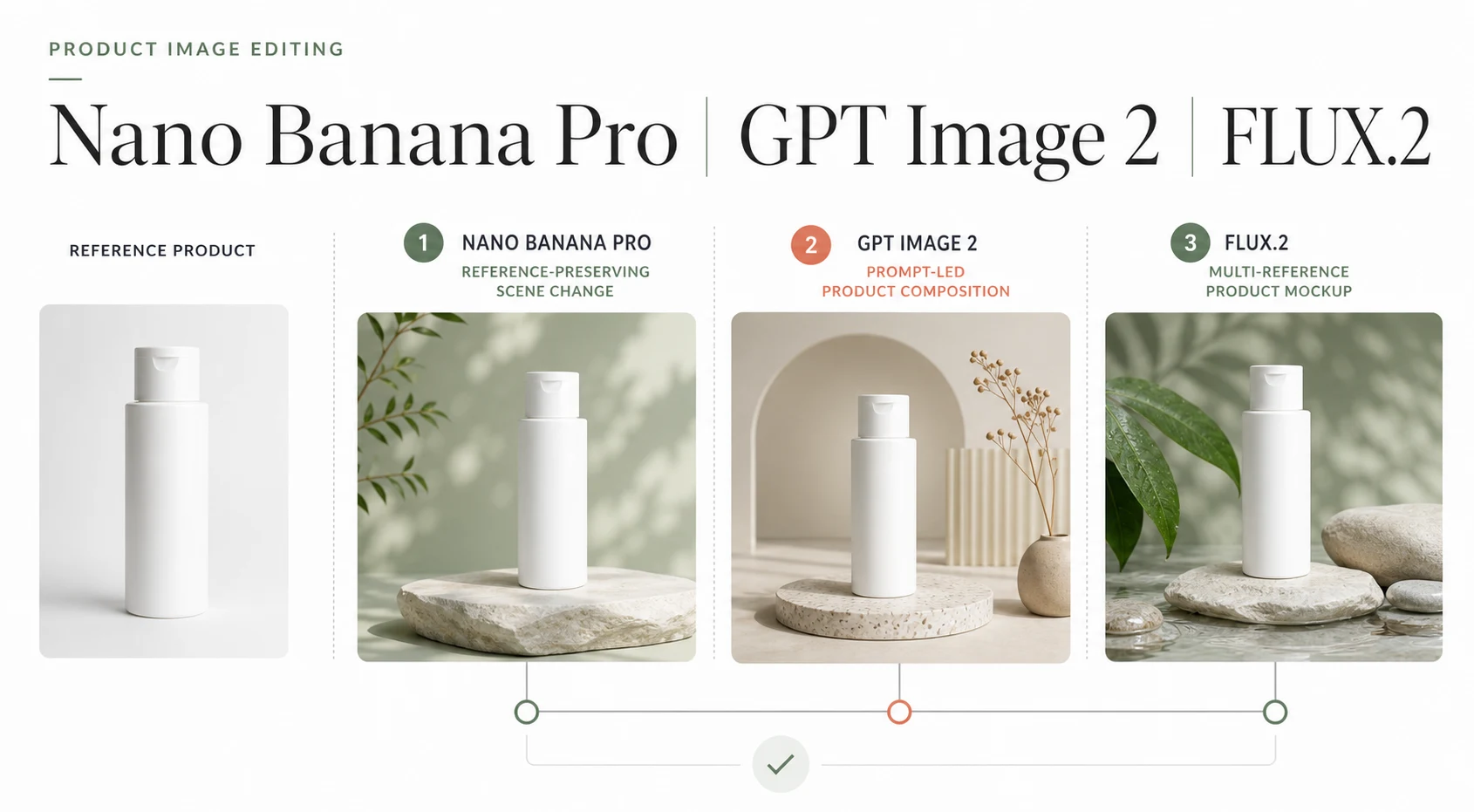
Product image editing asks more of an image model than a clean first render. The product must keep its shape, label, material, and color while the scene changes. Revisions should not turn each correction into a new composition.
Nano Banana Pro, GPT Image 2, and FLUX.2 take different routes. Nano Banana Pro favors complex instructions, brand consistency, and conversational edits. GPT Image 2 provides an edit API, masks, high-fidelity inputs, and flexible output sizes. FLUX.2 adds multi-reference editing, exact color control, and structured prompting across a model family.
There is no single winner. Use Nano Banana Pro for product identity and iterative art direction, GPT Image 2 for precise masked edits and API output, or FLUX.2 when several references, exact colors, or an API-first pipeline drive the brief.
This comparison uses current official model documentation and Banana AI's live model catalog. It compares capabilities and workflows, not identical-prompt benchmark scores.
Nano Banana Pro vs GPT Image 2 vs FLUX.2 at a Glance
| Model | Best fit | Reference and edit control | Output and price signal | Main tradeoff |
|---|---|---|---|---|
| Nano Banana Pro | Brand-led product variations | Conversational edits; current Banana AI picker allows 8 uploads | Up to 4K; $0.134 for 1K/2K or $0.24 for 4K image output, before token charges | Premium cost |
| GPT Image 2 | Masked edits and API output | Edit endpoint, references, masks, and high-fidelity inputs; picker allows 16 uploads | $0.006 low to $0.211 high for a 1K square, before input charges | No transparent backgrounds; review layout/text |
| FLUX.2 | Multi-reference and exact color | Up to 10 sources in the overview; [pro] and [max] API variants list up to 8 | Starts at $0.014 [klein] 4B, $0.045 [pro], $0.05 [flex], and $0.07 [max] | Family selection; not in Banana AI picker |
These prices come from different billing systems, so they are not a quality-per-dollar ranking. Provider API prices also exclude the time spent on retries, asset review, and production integration.
What Each Model Is Built to Do
Nano Banana Pro: preserve the product while changing the brief
Google identifies Nano Banana Pro as Gemini 3 Pro Image, the premium model in its current Nano Banana family. The official guide positions it for professional asset production, complex instructions, localization, brand consistency, and creative control. It can generate images up to 4K and use a thinking process to refine a composition.
For product work, that combination suits a recurring brief: keep the bottle, label proportions, and cap shape, move it into a new lifestyle scene, then create campaign variations or remove a distracting prop in follow-up edits.
Google's editing mode accepts an image and a text instruction to add, remove, or modify elements, change style, or adjust color grading. The documentation recommends multi-turn editing, which suits art direction on one visual instead of rebuilding the prompt after every change.
The Banana AI model surface adds an important implementation detail. The current image generator defaults to google/nano-banana, but the repository's live model catalog exposes Nano Banana Pro as an image-to-image model with 1K, 2K, and 4K options and up to 8 reference uploads. The product interface therefore gives teams a browser route to the Nano Banana family, while the exact provider limits remain separate from Google's API documentation.
GPT Image 2: make a defined edit and control the output
OpenAI's current image guide names GPT Image 2 as its latest GPT Image model. The Image API separates generation from edits: the edit endpoint can modify an existing image, use one or more references, or apply a mask. The Responses API adds multi-turn editing in a conversation.
GPT Image 2 processes image inputs at high fidelity by default, so large references can use more input tokens. It supports custom sizes, quality, formats, compression, and automatic sizing, with a maximum edge of 3,840 pixels, dimensions divisible by 16, a maximum 3:1 aspect ratio, and a total pixel limit of 8,294,400.
That control works well for a defined operation: upload the source, mask only the label, background, or prop, request the destination size and quality, then inspect the edge, text, reflections, and shadow.
The tradeoff is important for ecommerce teams. GPT Image 2 does not currently support transparent backgrounds, and OpenAI still lists text placement, recurring brand consistency, and layout-sensitive composition as areas that can fail. A mask narrows the edit, but it does not remove the need to inspect the result.
FLUX.2: combine references, colors, and structured instructions
FLUX.2 is a model family rather than one endpoint. Black Forest Labs positions [klein] for fast, high-volume work, [pro] for production, [flex] for fine-grained control and typography, and [max] for highest quality and grounding search. The family supports multi-reference editing for product mockups, ad variants, and consistent subjects.
The official overview shows exact hex color prompts, structured JSON-style prompts, typography examples, and product photography outputs. [max] can use grounding search; [klein] offers sub-second API speed and open-weight variants but no prompt upsampling.
Choose [flex] for small text, color matching, or adjustable guidance, [pro] for production editing at a lower starting price than [max], and [max] for the highest quality and search-grounded work. The control helps technical teams but adds endpoint selection.
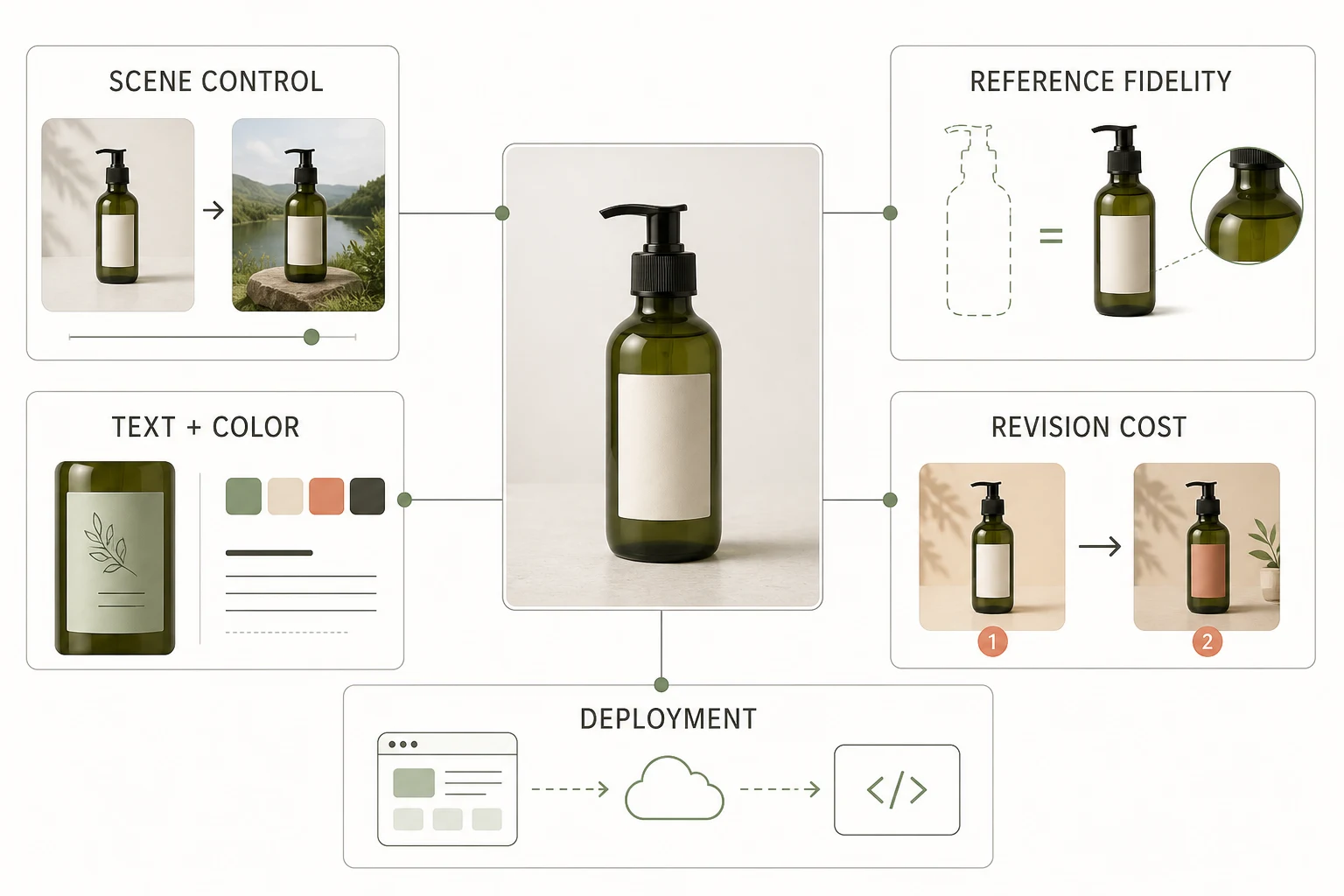
Compare the Five Decisions That Affect Product Work
1. Reference fidelity
Judge the parts that cannot drift: silhouette, cap, label placement, material, and brand color. Nano Banana Pro emphasizes complex instructions and brand consistency. GPT Image 2 adds high-fidelity inputs and masks. FLUX.2 combines several references when the product, model, pose, and background come from separate sources.
One packshot with one controlled change favors Nano Banana Pro or GPT Image 2. A product plus several references favors FLUX.2 if the team can manage endpoint and review complexity.
2. Scene control
The same item may need a studio image, lifestyle scene, seasonal campaign, and social crop. Nano Banana Pro treats this as conversational art direction; GPT Image 2 as an edit or generation request with explicit settings; FLUX.2 through structured prompts and reference composition.
Choose the interaction that matches production habits. Creative teams revising by conversation may spend less time rebuilding context with Nano Banana Pro; engineering teams needing repeatable request bodies may prefer GPT Image 2 or FLUX.2.
3. Text and color
All three families can place text, but small packaging copy remains a review point. Google documents advanced text rendering, OpenAI lists improvements while noting placement failures, and Black Forest Labs highlights typography and exact color control in [flex].
Use a real label in evaluation. Check letter spacing, line breaks, logo geometry, and the difference between requested and rendered color. Keep approved legal copy in a design or compositing step.
4. Output size and format
Resolution does not prove that an image is ready for a product detail page. Check edges, proportions, readable text, and margin for the final crop.
| Requirement | Nano Banana Pro | GPT Image 2 | FLUX.2 |
|---|---|---|---|
| High-resolution product asset | Official model supports up to 4K | Supports sizes through 4K-class dimensions within API constraints | Official family overview lists output up to 4MP |
| Local edit | Prompt-led add, remove, modify, and color changes | Edit endpoint plus mask guidance | Multi-reference image editing |
| Transparent output | Verify in the chosen product surface | Not currently supported by GPT Image 2 | Verify per endpoint before selecting it |
| Batch or high-volume draft | Use a lower-cost model in the Nano Banana family when suitable | Use low quality for fast drafts | [klein] is designed for high-volume generation |
Test the target aspect ratio before judging the model: a square packshot, 4:5 social asset, and 16:9 landing-page banner stress composition differently.
5. Revision cost
The cheapest first image can become expensive if revisions change the product. Count the full loop:
- generations before product identity is acceptable;
- cleanup for labels, edges, reflections, and shadows;
- file movement between the model, storage, and design tools;
- review time for claims, copy, and commercial usage.
Nano Banana Pro reduces context rebuilding through multi-turn edits. GPT Image 2 reduces ambiguity through masks and explicit output controls. FLUX.2 reduces repeated reference assembly when a structured request can combine several inputs. Your own revision count decides which advantage matters.
Which Model Fits Each Product Image Scenario?
| Scenario | Best starting point | Why | What to check before approval |
|---|---|---|---|
| Preserve one product while changing the campaign scene | Nano Banana Pro | Complex instructions and conversational refinement fit art-directed variants | Packaging geometry, label copy, and shadow continuity |
| Replace one local area of an existing photo | GPT Image 2 | The edit endpoint and mask keep the requested change narrow | Mask boundaries, reflections, and transparent-background requirements |
| Combine product, model, pose, and style references | FLUX.2 [pro] or [max] | Multi-reference editing is the center of the family's design | Endpoint reference limits, color accuracy, and output cost |
| Match exact brand colors or small typography | FLUX.2 [flex] | The official family docs emphasize hex colors and typography control | Text legibility at the final delivery size |
| Create many fast concept variations | FLUX.2 [klein] or a lower-cost image model | Speed and volume matter more than final fidelity | Product drift before any asset reaches production |
| Stay inside the Banana AI browser experience | Nano Banana Pro or GPT Image 2 | Both are exposed in the current project image model catalog | The selected model's upload, resolution, and credit limits |
How to Run a Fair Internal Comparison
Use one reference photo and one short brief. Keep crop, aspect ratio, and output size consistent. Ask each model to make the same two changes: move the product into a new scene, then change one label color.
Score each output from one to five on:
- Product identity, including shape, cap, label, and material.
- Scene control, including composition, light, and shadow.
- Text and color accuracy.
- Number of revisions before approval.
- Total cost, including provider usage and human cleanup.
This avoids comparing a polished 4K output with a fast draft and calling the difference model quality. It also exposes a workflow that looks cheap until the third correction.
Where Banana AI Fits
Banana AI presents an image-first browser route with Nano Banana as the default model. Its catalog also exposes Nano Banana Pro and GPT Image 2 for image-to-image work, with model-specific reference and resolution controls. The Banana AI image editor lets teams move from a reference image to product-scene variations without building the request layer.
FLUX.2 is not in the current Banana AI model picker. Teams that need FLUX.2's multi-reference or exact-color controls should use its own playground or API and keep that external path separate from Banana AI's available model claims.
Final Recommendation
Choose Nano Banana Pro when the product must stay recognizable across complex conversational revisions.
Choose GPT Image 2 for a defined edit, masked replacement, or API request with explicit size and quality controls.
Choose FLUX.2 when multi-reference composition, exact colors, typography, or endpoint-level control outweigh model-family complexity.
For a Banana AI browser workflow, start with the model the current picker exposes, then compare the other options only when the brief needs a control that the current surface does not provide. The right decision is the one that preserves the product through the final revision, not the one with the most impressive first render.
FAQ
Is Nano Banana Pro the same as Gemini 3 Pro Image?
Yes. Google's current documentation uses Nano Banana Pro for Gemini 3 Pro Image, with API identifier gemini-3-pro-image.
Can GPT Image 2 edit more than one reference image?
Yes. The edit guide supports one or more input images, and a mask applies to the first image when multiple inputs are used. Banana AI's current configuration allows up to 16 uploads, each up to 5 MB.
Is FLUX.2 available inside Banana AI?
The current Banana AI picker does not include FLUX.2. It is an external family with its own API and playground, so availability and pricing should be evaluated separately.
Which model should I use for an ecommerce product photo?
Start with Nano Banana Pro for several scene revisions, GPT Image 2 for a narrow masked edit, or FLUX.2 for several references, exact colors, or an API-first pipeline. Run the same reference through your approval checklist before committing.