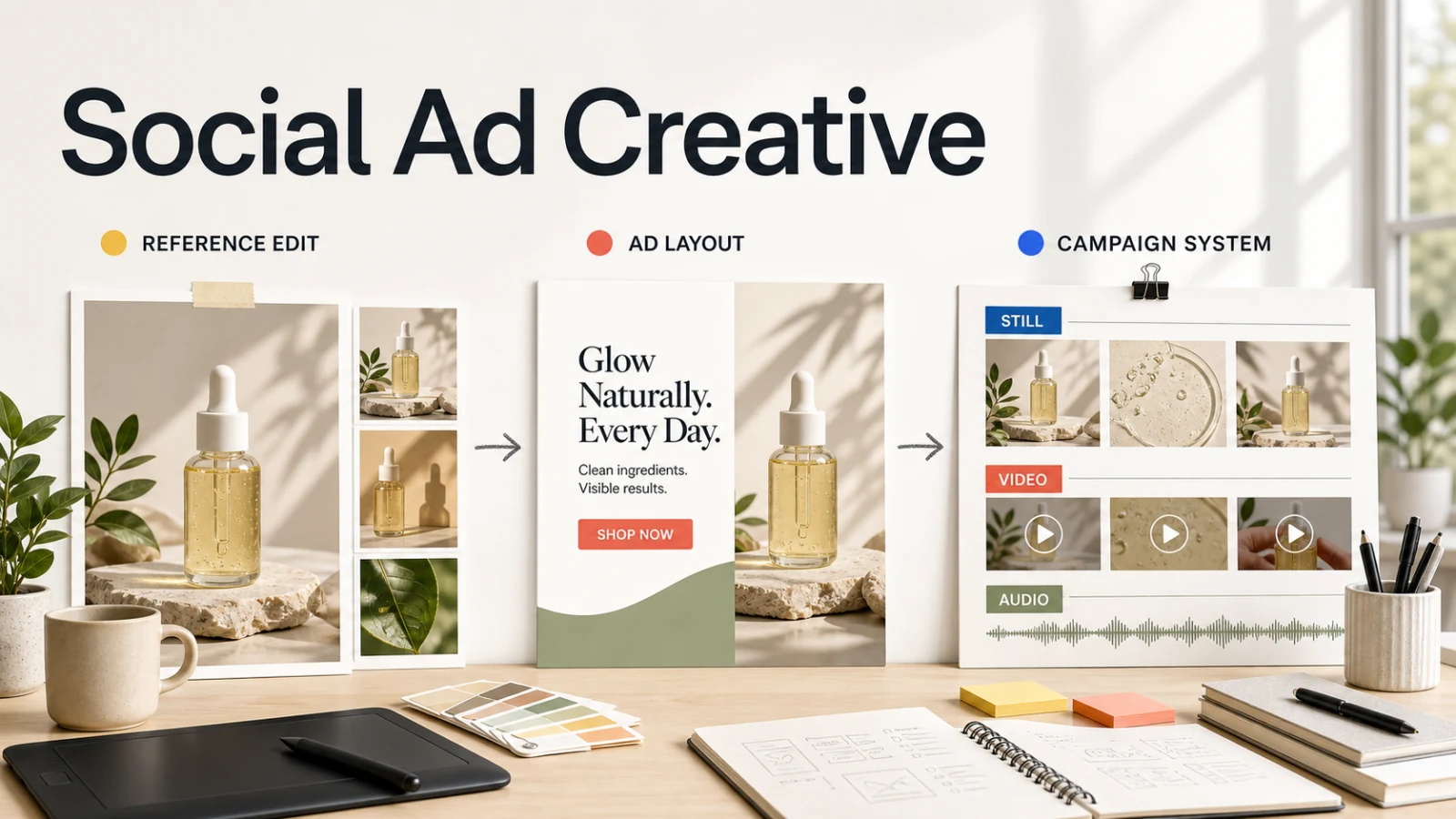
Banana AI, Canva, and Adobe Firefly cover different parts of social ad production. Banana AI starts with a prompt or reference image and changes the visual. Canva starts with an ad layout, template, brand asset, and channel format. Adobe Firefly spans image, video, audio, model selection, and Adobe handoff.
The best choice depends on the asset that needs the next revision:
- Choose Banana AI when a product photo, portrait, mockup, or campaign frame needs controlled visual changes.
- Choose Canva when the ad needs a reliable layout, brand colors, copy placement, collaboration, and channel variations.
- Choose Adobe Firefly when the brief starts as a campaign idea and may become a set of images, video clips, audio, or Adobe production files.
This is a workflow comparison, not a universal ranking. It looks at control, output, revision cost, and day-to-day usability for paid social, organic ads, thumbnails, and short campaign tests.
Banana AI vs Canva vs Adobe Firefly at a glance
| Platform | Best starting point | Main control | Useful output path | Revision cost signal |
|---|---|---|---|---|
| Banana AI | Prompt or reference image | Reference-guided edits and image direction | Still-image variations and short motion drafts | Re-run the visual when the prompt or reference changes |
| Canva | Ad brief, template, or brand asset | Layout, text, brand colors, and resizing | Channel-ready image or MP4 designs | Edit the saved design without regenerating every layer |
| Adobe Firefly | Campaign concept or visual direction | Model choice, prompt, and generative edits | Images, video, audio, vectors, and Adobe handoff | Credits and model choice affect repeated generations |
The first row describes the input that gives each platform its advantage. A reference photo favors Banana AI. A known offer with a headline and CTA favors Canva. A campaign that may branch into multiple media favors Firefly.
What each platform is built to do
1. Banana AI: reference-led visual iteration
Banana AI is strongest when the concept already has a visual anchor. Upload a product photo, portrait, room, sketch, or mockup, then describe the change. The current product surface positions the editor around prompt-first image direction, reference-guided edits, background replacement, object changes, lighting adjustments, and image-to-image control.
That makes Banana AI useful for ad work such as:
- turning one product photo into several campaign settings;
- keeping a face, package, or product silhouette while changing the scene;
- testing different camera angles, lighting, props, or visual styles;
- preparing a still image and moving a strong frame into a short video concept clip.
The benefit is control over the visual brief before a layout is finalized. The tradeoff is that the final headline, CTA, disclaimers, and channel grid may still need a design pass. Small label text, hands, transparent packaging, and exact product geometry need review after each generation.
Use the Banana AI image generator when the source image is close to the desired ad visual and the main task is to revise the scene. Move to the Banana AI video generator after a still frame earns approval and needs motion.
2. Canva: layout-first ad production
Canva's ad maker is built around templates, visual elements, brand assets, collaboration, and channel delivery. Its current ad page lists formats and templates for Instagram, YouTube, Facebook, TikTok, and other channels. It also describes uploads for logos, photos, video clips, and design elements, plus brand-color selection, shared editing, and export to image or MP4.
Canva's Magic Studio adds prompt-based features beside the design surface. The current ad experience highlights Magic Edit, Magic Eraser, Magic Grab, Magic Write, Translate, Dream Lab, and Magic Media for image and video creation. These features help a team move from a rough idea to a composed ad without leaving the layout editor.
Canva fits best when the ad already has a message. A designer can keep the offer, CTA, logo, legal text, and spacing visible while creating versions for different placements. The saved design also makes a small copy or crop change cheaper than regenerating a complete image.
The limit is visual identity control inside generated imagery. Canva can help create or edit a scene, but a product team should inspect whether the generated object still matches the source package, label, or material. A template system also creates a different kind of constraint: it improves repeatability, but it may narrow the range of art direction.
3. Adobe Firefly: campaign direction across media
Adobe Firefly is the broadest production surface in this comparison. Its current product page covers image, video, audio, and vector generation, along with image-to-video, Generative Fill, Generative Expand, Prompt to Edit, and Firefly Boards. It also exposes Adobe and partner models in one app, including models from Google, OpenAI, ElevenLabs, Luma AI, and Runway.
Firefly fits a campaign team that needs to explore a visual system before deciding which assets to finish. Firefly Boards can hold mood boards, storyboards, mockups, and generated variations. The team can test a product world, extend a background, make a still move, and add sound before handing selected work into Photoshop, Premiere, Adobe Express, or another Adobe surface.
Adobe says its own Firefly models are designed for commercial safety and that generated files include Content Credentials. That claim does not remove the need to check the terms and usage rights of a partner model selected inside the same app. Model choice also changes the creative result, speed, and credit consumption, so a repeatable ad process needs a recorded model and prompt.
Compare control, output, and revision cost
The same prompt can hide the main production difference. A social ad is not only a picture. It is a visual, a message, a crop, a format, an approval trail, and a set of revisions.
| Decision point | Banana AI | Canva | Adobe Firefly |
|---|---|---|---|
| Preserve a source | Strong fit for reference and image-to-image | Use the source inside a designed composition | Use reference edits, boards, or selected models |
| Control the layout | Describe the composition in the prompt | Direct control over text, elements, and spacing | Use generated art, boards, and Adobe finishing |
| Make channel variants | Generate visual directions, then design crops | Resize and revise saved designs | Generate or edit media, then finish in the suite |
| Add motion | Hand a strong still to a video workflow | Build or edit video ad designs | Create video and audio in the same creative space |
| Revise one small part | May require a new generation and inspection | Change a layer, word, color, or crop directly | Use Generative Fill or Prompt to Edit, with credits |
| Scale review | Compare model, prompt, reference, and output | Review brand and channel rules across versions | Track model, credits, rights, and Adobe handoff |
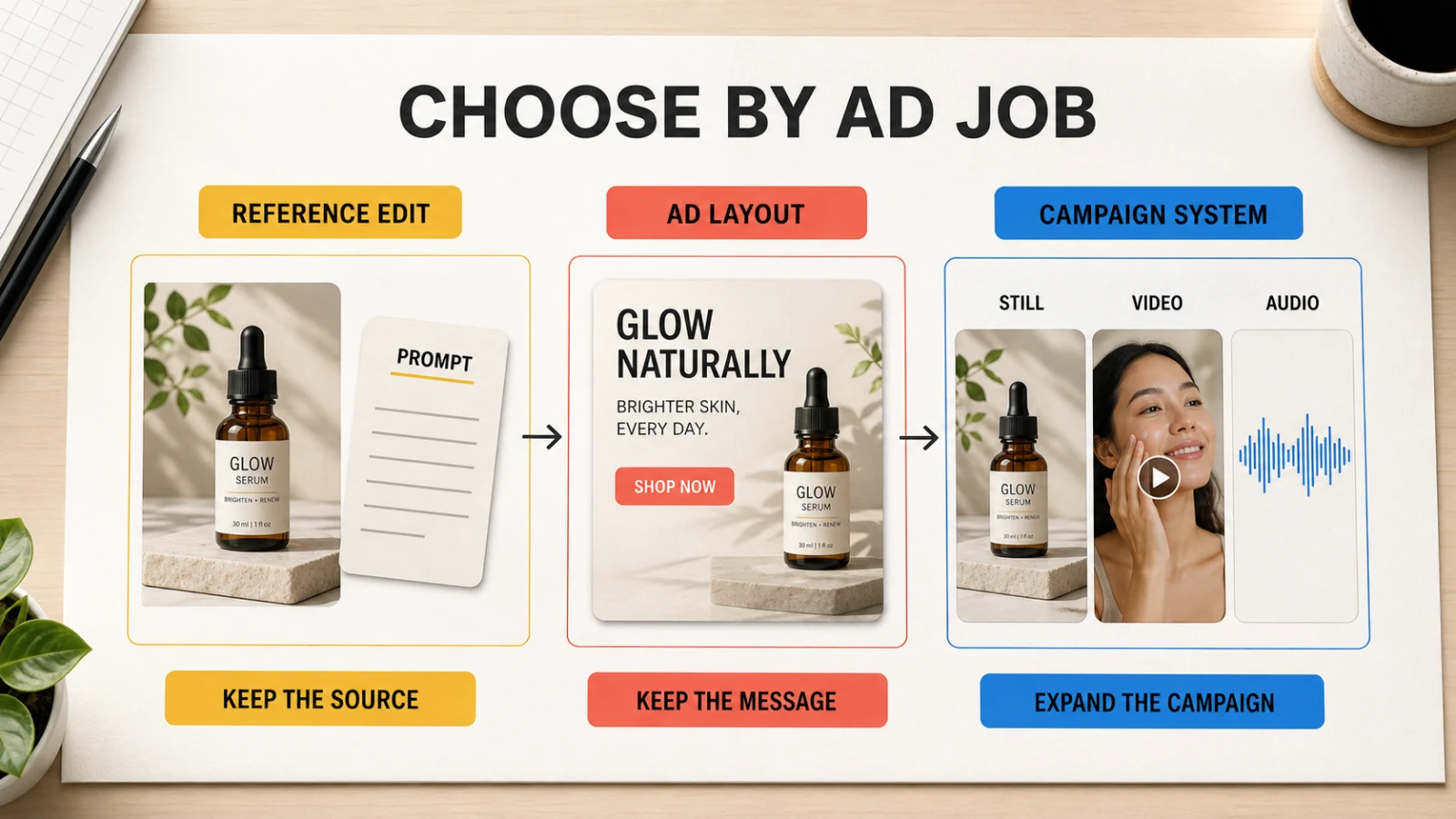
The practical difference is the location of the edit. Banana AI edits the visual idea. Canva edits the assembled ad. Firefly can edit the visual idea and expand it into a broader campaign workspace, but the extra choices create more process to document.
Choose by social ad job
Start with Banana AI for reference-based product ads
Use a source image when the product already exists and the ad needs new context. Ask for a clean studio shot, a lifestyle scene, a seasonal setting, or a close crop while keeping the product identity intact. This route reduces the distance between the source asset and the first creative direction.
Banana AI is a practical starting point for a small batch of concepts or an ad set that needs visual variety. It is less suited to a locked catalog process where every variation must follow the same crop, text, and export rule without manual review.
Start with Canva for offer-led ad sets
Use Canva when the offer is known and the design system matters as much as the image. A sale, product launch, event, or lead-generation campaign often needs several sizes with the same headline, CTA, logo, and color rules. A template and saved design make those edits visible and reversible.
Canva is also the easier handoff when a marketer, designer, and client need to comment on the same composition. The tradeoff is that the tool may encourage teams to accept a convenient template before they have solved the underlying visual direction.
Start with Adobe Firefly for campaign systems
Use Firefly when the brief is still open. Build a mood board, test a visual language, generate stills and short clips, and decide which direction deserves a full production pass. Firefly is useful when social ads are one part of a wider launch that includes product pages, video, audio, and Adobe files.
The extra breadth has a cost. Teams need to record the selected model, prompt, reference image, generation settings, credit usage, and downstream editing step. Without that record, two similar ads can take different paths and produce different rights or review questions.
A production-shaped test before you choose
Run the same brief through each platform instead of comparing polished gallery examples:
- Pick one product or offer with a visible logo, a clear value proposition, and one required CTA.
- Prepare one source product image, one short headline, one supporting line, and the target placements.
- Ask each platform for a square feed visual, a vertical story version, and a landscape variation.
- Make one revision that changes only the background, one revision that changes only the headline, and one revision that changes the CTA placement.
- Record the prompt, reference image, model or mode, credits, export format, manual edits, and approval time.
- Review the result at the size a user will see, not only in the editor preview.
Count approved assets rather than first-pass generations. A fast draft loses its advantage when the product label changes, a disclaimer becomes unreadable, or a crop forces the team to rebuild the ad.
Where Banana AI fits in a social ad stack
Banana AI works well as the visual direction layer. Create or revise the image, compare references, and keep the strongest stills together before a layout tool handles copy and channel formatting. If the approved frame needs motion, the image-to-video handoff can extend the same concept into a short social clip.
Canva remains the better fit when the central object is the ad layout. Firefly remains the better fit when the central object is the campaign system and its related media. These are adjacent jobs, not interchangeable labels.
Review the Banana AI pricing after the test, using approved outputs and revision count rather than the number of first drafts. For a product-led starting point, the ecommerce product photo comparison gives a related framework for identity, staging, and revision work.
FAQ
Is Banana AI better than Canva for social ads?
Banana AI is a better starting point when the ad depends on a reference image and the main change is visual. Canva is a better starting point when the offer, headline, CTA, brand assets, and channel layout need direct editing. The choice depends on the first expensive revision.
Is Adobe Firefly better than Canva for ad creative?
Firefly is a stronger fit for campaign exploration across images, video, audio, and Adobe production tools. Canva is a simpler fit for template-led ad sets, brand layouts, collaboration, and visible copy changes. Teams should test the handoff they use after the first concept.
Which platform is best for product ads?
Use Banana AI when the product reference needs a new scene or visual direction. Use Canva when the product image is ready and the ad needs a repeatable layout. Use Firefly when the product campaign needs a wider visual system or several media types.
What should I compare besides image quality?
Compare reference fidelity, text and CTA control, channel crops, export format, revision time, credits, rights review, and the number of approved assets. Social advertising rewards a repeatable approval loop more than a single attractive preview.