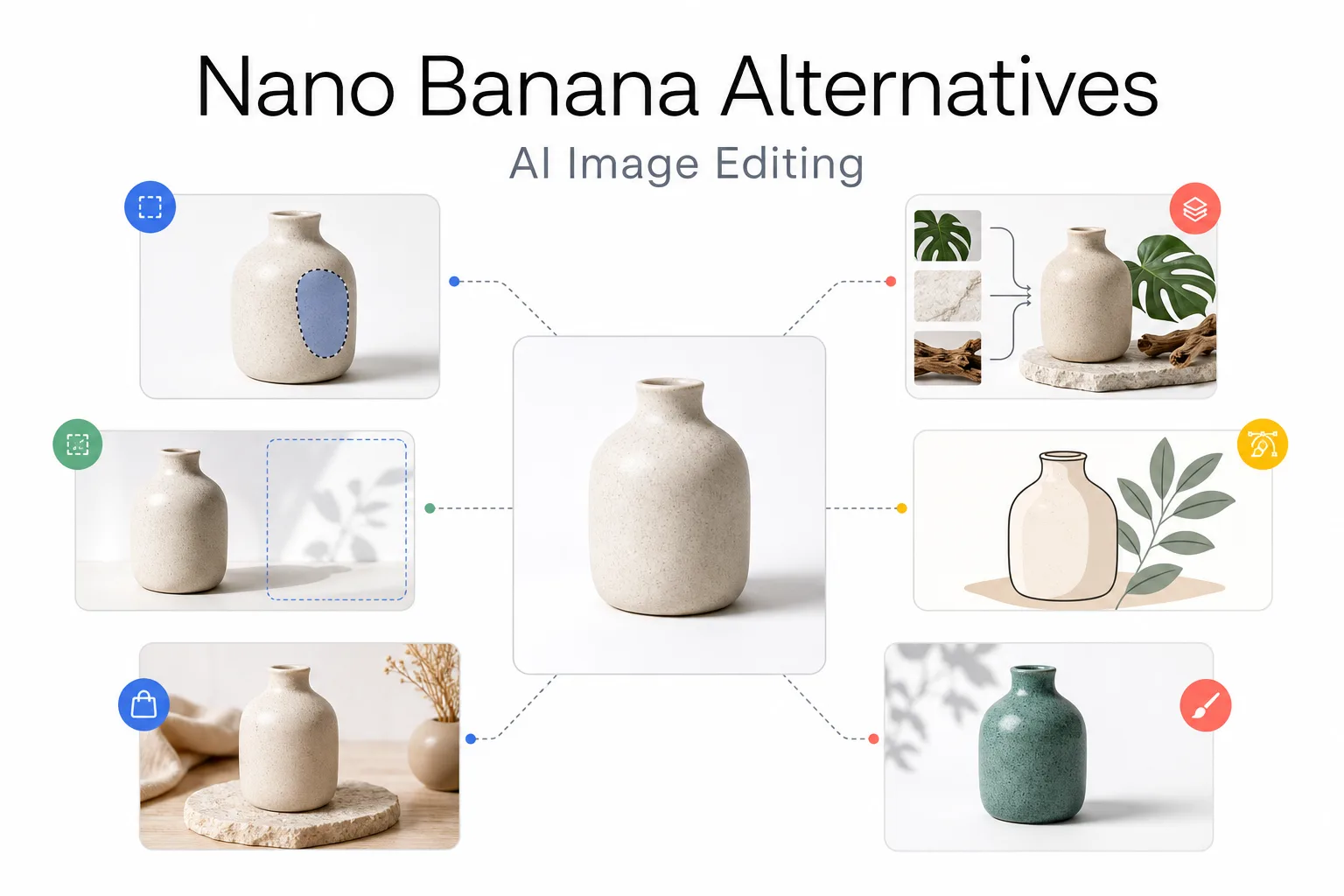
Nano Banana is a strong starting point when an image needs to change without losing its subject. It helps with conversational revisions, reference-based edits, and turning one product image into several scenes. But the best alternative depends on what is missing from the job, not on a universal quality ranking.
Use GPT Image 2 when you need an API, masks, high-fidelity image inputs, and explicit output controls. Choose FLUX.2 for multi-reference composition, exact colors, and endpoint-level control. Choose Adobe Firefly when visual selection and generative fill matter more than an API-first setup. Recraft Studio fits design teams that need model choice and vector editing. Photoroom is the practical choice for ecommerce product-photo production. Midjourney Editor is strongest when hands-on restyling and creative selection are part of the process.
This shortlist uses current official product documentation and Banana AI's current model catalog. It compares editing controls, output contracts, revision cost, and access paths. It does not claim that all six tools produce the same result from the same prompt.
Nano Banana Alternatives at a Glance
| Alternative | Best fit | Editing control | Output and revision signal | Availability tradeoff |
|---|---|---|---|---|
| GPT Image 2 | Defined edits and API pipelines | References, masks, multi-turn edits, high-fidelity inputs | Custom size, quality, format, and compression; inspect text and layout after each pass | API access and organization verification may be required |
| FLUX.2 | Multi-reference scenes and exact color | Up to 8 API references, up to 10 in the playground; family-level controls | Up to 4MP; [klein], [pro], [flex], and [max] cover different cost and control needs | Endpoint and license choices add setup work |
| Adobe Firefly | Brush-led generative fill | Manual selection, select more or less, brush hardness, and reference images | Credit use varies by model; easy to keep edits inside an Adobe asset workflow | Best value depends on an Adobe account and credit plan |
| Recraft Studio | Design systems and model switching | Natural-language edits, reference images, raster and vector tools | External model credit costs vary; vector output can reduce later redraw work | It can expose Nano Banana itself, so it is a workspace alternative rather than a model swap alone |
| Photoroom | Ecommerce catalogs and product staging | Text-guided edits, product staging, extra references, fixed seed | 1K output by default; 2K and 4K are available on Enterprise plans | More specialized than a general creative model |
| Midjourney Editor | Creative restyling and manual composition | Paint, restore, Smart Select, layers, Remix, and Retexture | Download or upscale after editing; manual review remains central | Less suited to repeatable API jobs and exact packaging copy |
What Makes a Useful Nano Banana Alternative?
An image editor can look impressive in a first-generation demo and still be a poor replacement for production work. Evaluate the full edit loop instead:
- Reference fidelity: Does the product keep its silhouette, label, material, and color when the scene changes?
- Local control: Can you change one area with a mask, brush, layer, or selection instead of regenerating the whole image?
- Output contract: Can you request the aspect ratio, resolution, file format, compression, and transparency behavior the delivery channel needs?
- Revision cost: How much context must you rebuild after a failed edit, and how many cleanup passes will a person need?
- Availability: Is the capability available in a browser, an API, a desktop editor, a paid plan, or a specific endpoint?
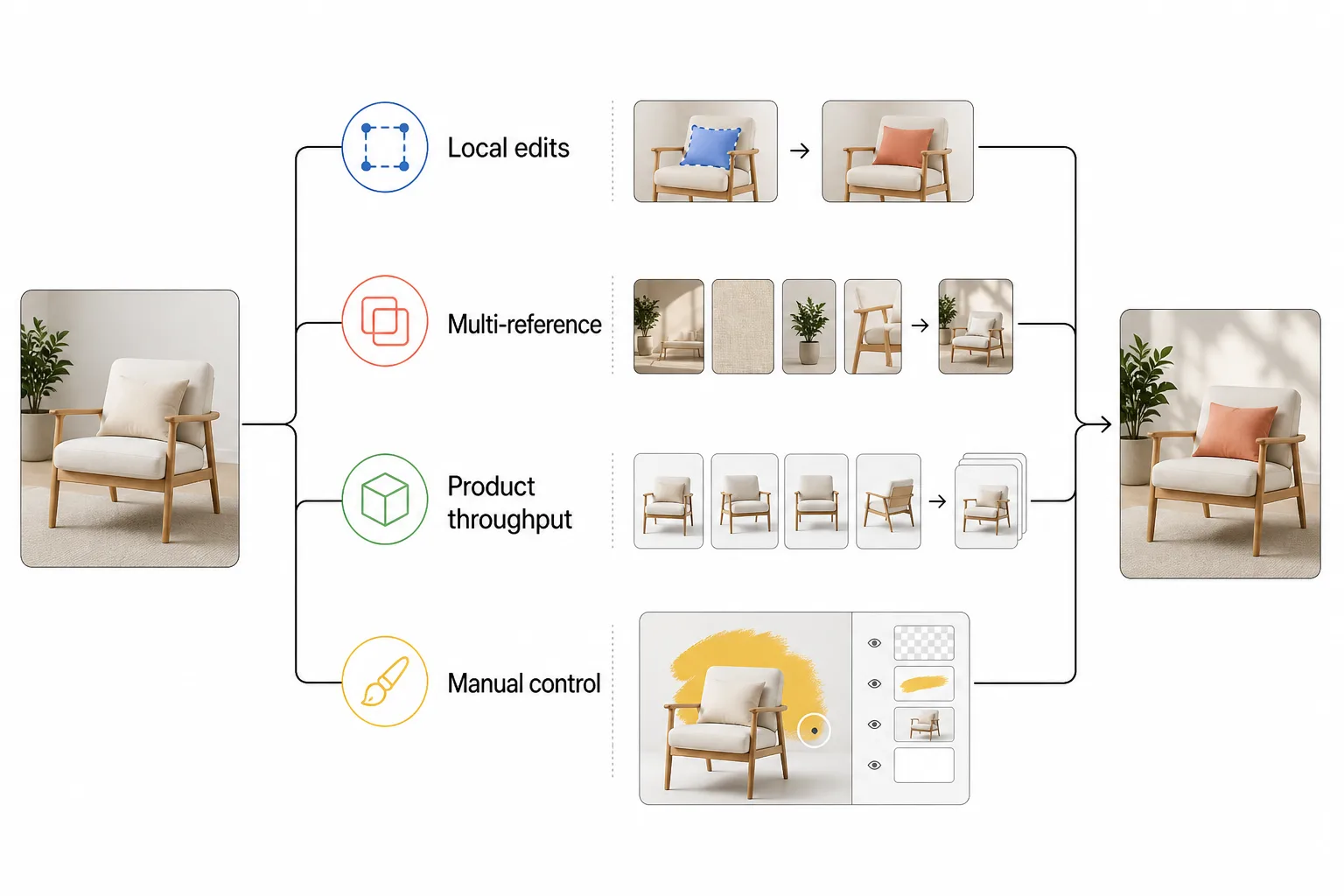
The right replacement is the one that reduces the total effort from source image to approved asset. A model that produces a beautiful first scene but changes the package on the third revision may cost more than a less dramatic editor with better local control.
1. GPT Image 2: Best for Defined Edits and API Control
GPT Image 2 is a strong Nano Banana alternative when the request can be stated as a controlled operation. The Image API supports generation and edits, while the Responses API supports multi-turn image work. Reference images can be supplied as URLs, data, or file IDs, and a mask can identify the part of the image that should change.
That fits a defined product edit, such as replacing a label area, removing one prop, creating several output sizes, or adding image generation to an existing review queue.
GPT Image 2 processes image inputs at high fidelity by default. It also supports custom dimensions, quality levels, PNG, JPEG, WebP, and compression controls. The current API accepts 1K through 4K-class sizes within its dimension and pixel constraints.
The mask is guidance, not a guaranteed pixel-perfect boundary. Precise text placement, recurring brand elements, and layout-sensitive compositions still need inspection. GPT Image 2 does not support transparent backgrounds, so a cutout-heavy pipeline may need a separate background-removal step.
Choose GPT Image 2 when your team values repeatable request bodies, explicit output settings, and narrow edits more than a visual editor.
2. FLUX.2: Best for Multi-Reference Composition
FLUX.2 is a family with different operating points rather than a single drop-in model. The current family includes [klein] for fast, high-volume work, [pro] for production, [flex] for adjustable control and typography, and [max] for the highest quality and grounding search.
Its defining advantage for editing is multi-reference composition. The API supports up to eight input references, while the playground supports up to ten. That is useful when the final scene needs to combine a product, a person, a pose, a room, a material, and a style reference without rebuilding the scene by hand.
FLUX.2 also exposes exact color control, structured prompting, typography-focused behavior in the [flex] variant, and output up to 4MP. The [klein] variants add sub-second inference and open-weight options for teams that can manage local deployment and licensing.
The cost is operational choice. Select a family member, decide between a preview endpoint and a pinned endpoint, and check the license or API route before production. An API integration must also retrieve signed result URLs within their validity window.
Choose FLUX.2 when several references are part of the brief or when exact color and endpoint control matter more than a simple browser interaction.
3. Adobe Firefly: Best for Brush-Led Generative Fill
Firefly is a better Nano Banana alternative for editors who want to select the area with a brush before describing the change. Its Generative Fill flow lets you refine the selection with Select More or Select Less, adjust brush size and hardness, add a reference image, and generate the replacement.
This approach fits object removal, background extension, selected-prop replacement, and any local change that is easier to describe with a visible selection than with coordinates.
The main benefit is lower ambiguity. A reviewer can see the intended edit area before submitting it, which reduces prompt changes when an image contains similar objects. Firefly also fits teams that deliver assets through Adobe applications.
The limitation is access and cost structure. Credit consumption varies by model, and the editing experience sits inside an Adobe account and its plan rules. Firefly is not the first choice for a lightweight API service or a deterministic product catalog pipeline.
Choose Firefly when a person needs to guide the selection with a brush and review the result in the same creative environment.
4. Recraft Studio: Best for Design Systems and Model Choice
Recraft Studio is a workflow alternative with an important qualification: its editing surface can expose Nano Banana alongside GPT-4o, Seedream, Flux Kontext, and Qwen-Image. The underlying model may stay the same while the design workspace replaces the need to move between separate interfaces.
Its natural-language editing flow supports targeted changes to clothing, backgrounds, lighting, color, product traits, and style. Select external models accept reference images, with up to nine references for GPT-4o, Nano Banana, and Seedream in the documented flow. Recraft also combines raster generation with vector output and a Vector Editor.
That combination suits teams that need to keep a visual direction across campaign assets, turn a concept into an editable vector treatment, or switch models without exporting every intermediate image.
The tradeoff is credit and model complexity. External models have different aspect-ratio support and credit costs. A reference-image edit can also default to a specific model when the user does not choose one.
Choose Recraft Studio when the design surface, vector handoff, and model choice are as important as the first image edit.
5. Photoroom: Best for Ecommerce Product-Photo Throughput
Photoroom is a focused alternative for product teams rather than a general-purpose art direction model. Its Edit With AI API accepts a text description for changes such as recoloring, object removal, and product staging. The documented flow also supports a different camera angle, a lifestyle scene, and up to four additional reference images alongside the main input.
For ecommerce work, that focus is useful. The product remains the center of familiar catalog jobs such as lifestyle staging, new camera angles, consistent backgrounds, and API processing.
The API can accept a fixed seed to reduce randomness for repeated calls with the same image and prompt. Edit With AI produces 1K output by default, while 2K and 4K output are available on Enterprise plans. Those details make the approval path easier to budget, but they also make Photoroom more specialized than an open-ended creative model.
Choose Photoroom when the job is a catalog, marketplace, or product-staging queue. Choose a broader model when the image needs a new visual concept from several broad references.
6. Midjourney Editor: Best for Creative Restyling
Midjourney Editor is a strong alternative when a human wants to shape the edit by hand. It supports external image uploads, Paint and Restore brushes, Smart Select masks, layers, custom aspect ratios, Remix, and Retexture. The Editor can preserve a structure while applying a new visual direction, or regenerate erased portions of a layered composition.
It fits art-direction exploration, new crops, layered compositions, and campaign mood studies before production design.
The tradeoff is repeatability. Midjourney Editor uses an interactive visual process rather than a request body that a backend can replay at scale. Uploaded images and edited results also follow Midjourney's gallery and visibility rules. Review packaging, small type, logos, and product geometry before commercial use.
Choose Midjourney Editor when visual exploration is the point. It is less suitable when the main requirement is a predictable, API-first replacement for a product-editing pipeline.
Choose by Editing Job
| Editing job | Start with | Why it fits | Review first |
|---|---|---|---|
| Replace one local object or area | GPT Image 2 or Firefly | Use a mask in an API request, or a brush-led selection in a visual editor | Edges, reflections, and the selection boundary |
| Combine a product with several references | FLUX.2 | Multi-reference editing is central to the family | Identity, perspective, color, and endpoint limits |
| Create many marketplace product variants | Photoroom | Product staging, angle changes, and API processing are built into the use case | Brand consistency, crop rules, and plan limits |
| Keep designs editable after generation | Recraft Studio | Natural-language edits connect to vector and canvas tools | Raster-to-vector cleanup and external model credits |
| Explore a new visual direction | Midjourney Editor | Layers, Retexture, Paint, and Remix support hands-on iteration | Product copy and repeatability |
| Revise a scene by conversation | Nano Banana or GPT Image 2 Responses | Multi-turn context can reduce prompt rebuilding | The number of passes before product details drift |
Where Banana AI Fits
One attractive feature does not require a move away from Banana AI. Its image surface exposes the Nano Banana family and GPT Image 2 with model-specific reference, aspect-ratio, resolution, and output controls. The Banana AI image editor gives teams a browser route from a reference image to an edited asset without building the provider request layer first.
This suits teams that want one browser route for several image models, image generation and editing in one account, or a later move from product images to other creative formats. Choose another editor when you need FLUX.2 endpoint choices, Firefly brush selection, Photoroom catalog automation, or Midjourney layers.
For the narrower model tradeoffs between Nano Banana Pro, GPT Image 2, and FLUX.2, see this product image editing comparison. The key distinction is scope: Banana AI is an access and creation route, while some alternatives are specialized editing environments or APIs.
How to Test a Shortlist
Run a small production-shaped test instead of comparing attractive gallery examples:
- Use one product reference with visible edges, a label, a reflective surface, and a shadow.
- Ask for the same scene change in every editor, without requesting controls that one candidate does not support.
- Run a second pass that changes one local element, such as a label color or prop.
- Export the same target crop and format, then inspect the asset at its real delivery size.
- Record revisions, rejected outputs, human cleanup time, provider credits, and access restrictions.
Score each candidate on product identity, local control, scene accuracy, output readiness, revision count, and total effort. This exposes the difference between a striking first render and a useful editing system.
FAQ
Which Nano Banana alternative is best for product photos?
Start with Photoroom for catalog variants and product staging, GPT Image 2 for a defined masked edit, or FLUX.2 when the shot needs several product and scene references. Firefly is a good choice when a person will guide the selected area with a brush.
Which alternatives support masks or selected edits?
GPT Image 2 supports a mask input for image edits. Firefly provides brush-based selection with Select More and Select Less. Midjourney Editor provides Paint, Restore, and Smart Select. These controls are not identical, so compare the amount of human precision your team needs.
Which alternative can combine several reference images?
FLUX.2 supports up to eight references through its API and up to ten in its playground. Photoroom supports up to four additional references for Edit With AI. Recraft's selected external models can accept multiple references, with the limit depending on the model.
Is an alternative better than Nano Banana?
No. If conversational revisions and reference fidelity are the main requirements, Nano Banana may remain the shortest path. Switch when a specific requirement, such as masks, brush selection, catalog automation, vector handoff, or endpoint control, outweighs the cost of moving to another editor.