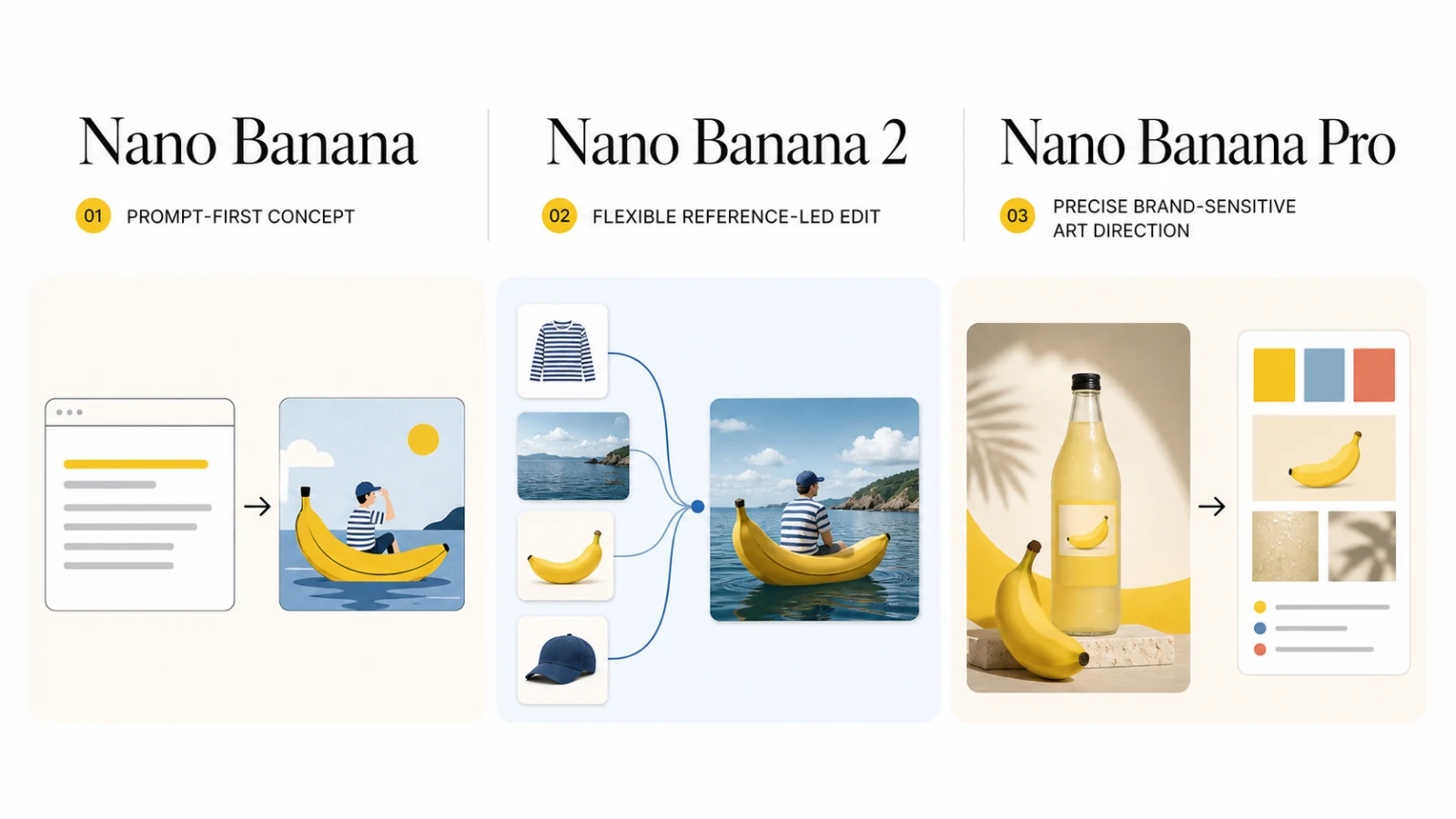
If you are choosing between Nano Banana, Nano Banana Pro, and Nano Banana 2, start with Nano Banana 2 for most new work. It combines a broad editing surface with high-resolution output, text rendering, and multi-reference support. Choose Nano Banana Pro when a complex brief, brand consistency, or repeated reference-led revisions justify a premium model. Use the original Nano Banana for simple prompt-first drafts or a legacy-compatible route.
The names refer to different Gemini image models, and a hosted product can expose a different control surface. This comparison separates those layers, then maps each model to a production job.
The three names map to three different Gemini image models
Nano Banana is Gemini 2.5 Flash Image. Nano Banana 2 is Gemini 3.1 Flash Image. Nano Banana Pro is Gemini 3 Pro Image.
| Brand name | Gemini model | Current role | Best starting point | Main caution |
|---|---|---|---|---|
| Nano Banana | Gemini 2.5 Flash Image | Legacy member of the family | Prompt-first concepts and simple drafts | The current documentation places it behind the newer models |
| Nano Banana 2 | Gemini 3.1 Flash Image | General-purpose workhorse | New image generation, reference edits, and high-volume creative work | A versatile model still needs a proof pass for brand details |
| Nano Banana Pro | Gemini 3 Pro Image | Premium model for complex visual tasks | Brand-sensitive edits, localization, and demanding art direction | Higher current Banana AI credit base and a narrower hosted input mode |
Nano Banana fits a quick concept with no source image. The current documentation positions Nano Banana 2 as the versatile option and Nano Banana Pro as the premium option.
Nano Banana vs Nano Banana Pro vs Nano Banana 2 at a glance
Banana AI's current provider catalog gives a practical comparison for creators who want one browser workflow.
| Model | Current Banana AI mode | Reference images | Resolution controls | Output | Starting credits | Best fit |
|---|---|---|---|---|---|---|
| Nano Banana | Text-to-image | Not available in the current model entry | Aspect ratio only | PNG or JPEG | 5 | Quick concepts and prompt-led exploration |
| Nano Banana 2 | Text-to-image and image-to-image | Up to 14 | 1K, 2K, 4K | JPG or PNG | 12 | General image work, product scenes, and multi-reference edits |
| Nano Banana Pro | Image-to-image | Up to 8 | 1K, 2K, 4K | PNG or JPG | 15 | Complex reference editing and brand-sensitive assets |
The credit values above describe the current Banana AI catalog. Nano Banana 2 applies resolution factors above its base, while Nano Banana Pro applies a higher factor at 4K. Credits are product-level usage units, not Google's public API pricing, and catalog settings can change.
What each model is good at
Nano Banana: prompt-first drafts and legacy compatibility
Nano Banana is the prompt-first option in Banana AI's current catalog. Its entry uses the google/nano-banana provider model and supports text-to-image generation with aspect-ratio and output-format controls.
That makes it a sensible first step when you need to explore a visual direction:
- Generate several rough concepts from a written brief.
- Try a new composition before you choose a reference image.
- Produce a simple illustration, scene, or background inside a lower credit tier.
The current hosted entry does not expose an image-to-image reference slot. If the brief begins with an approved product photo, character sheet, or visual moodboard, Nano Banana 2 gives you a more suitable starting point. Nano Banana also makes less sense for a long revision chain when the source identity must stay fixed.
Treat it as a draft route, not the default answer.
Nano Banana 2: the general-purpose starting point
Nano Banana 2 maps to Gemini 3.1 Flash Image. Its official positioning centers on speed, 4K generation, reliable text rendering, world knowledge, and multiple-reference consistency. The model also supports a smaller 0.5K output in the official image-generation API, while the current Banana AI catalog exposes 1K, 2K, and 4K choices.
Nano Banana 2 fits jobs that change shape as you work. Start from a prompt, add a product reference, bring in a second visual direction, and request new crops without switching models.
Use it for:
- Product scenes that must preserve a reference while the setting changes.
- Social graphics, posters, and other visuals with short text elements.
- Several references that describe a subject, pose, setting, or style.
- Creative batches where latency and flexibility matter as much as maximum control.
The main risk is reference conflict. Fourteen inputs can describe a rich brief, but they can also compete. Keep one image as the identity anchor, label each additional reference in the prompt, and inspect the output at full size.
Nano Banana Pro: complex art direction and brand-sensitive work
Nano Banana Pro maps to Gemini 3 Pro Image. It targets complex visual tasks, advanced localization, brand consistency, and precision creative control. Its value appears when a failed revision costs more than a few extra credits.
In Banana AI, Nano Banana Pro is an image-to-image model with up to eight reference uploads, 1K, 2K, and 4K resolution options, and PNG or JPG output. The current catalog gives it a 15-credit base, with a higher factor for 4K.
Choose Pro when you need to:
- Move an approved product into a new campaign scene.
- Combine a product reference with a person, setting, and visual direction.
- Preserve brand details across several creative revisions.
- Create localized variants from one approved visual system and reduce expensive restarts.
Pro is not automatically the better choice for a prompt-only concept batch. Nano Banana 2 can cover a wider set of input modes and offers more reference slots in the current Banana AI surface. Use Pro when the brief rewards precision and controlled art direction, not when the model name sounds more advanced.
For model-level tradeoffs beyond this family, see the Nano Banana Pro, GPT Image 2, and FLUX.2 comparison.
Choose by production job
Choose from the asset you must approve, then run a small revision test before standardizing a workflow.
| Production job | Start with | Why it fits | Approval check |
|---|---|---|---|
| Explore prompt-only concepts | Nano Banana | It keeps the brief text-first and uses the lowest current base credit tier | Compare composition and subject clarity before investing in references |
| Turn one product photo into several scenes | Nano Banana 2 | It supports image-to-image work, more reference inputs, and 1K to 4K output | Check silhouette, label area, materials, and shadow continuity |
| Combine product, person, setting, and style references | Nano Banana 2 | The current catalog supports up to 14 references and a broad ratio set | Give each reference one role and remove conflicts before rerunning |
| Create a high-stakes branded campaign asset | Nano Banana Pro | Its premium positioning and reference-led workflow fit complex art direction | Proof logo areas, typography, product geometry, and every required crop |
| Produce localized variants from an approved visual | Nano Banana Pro | Complex creative control and localization are central to its official positioning | Review translated text, cultural details, and brand consistency separately |
| Run a cost-sensitive first-pass batch | Nano Banana or Nano Banana 2 | The simpler model lowers the starting cost; Nano Banana 2 keeps the edit path open | Count revisions, not only first-generation credits |
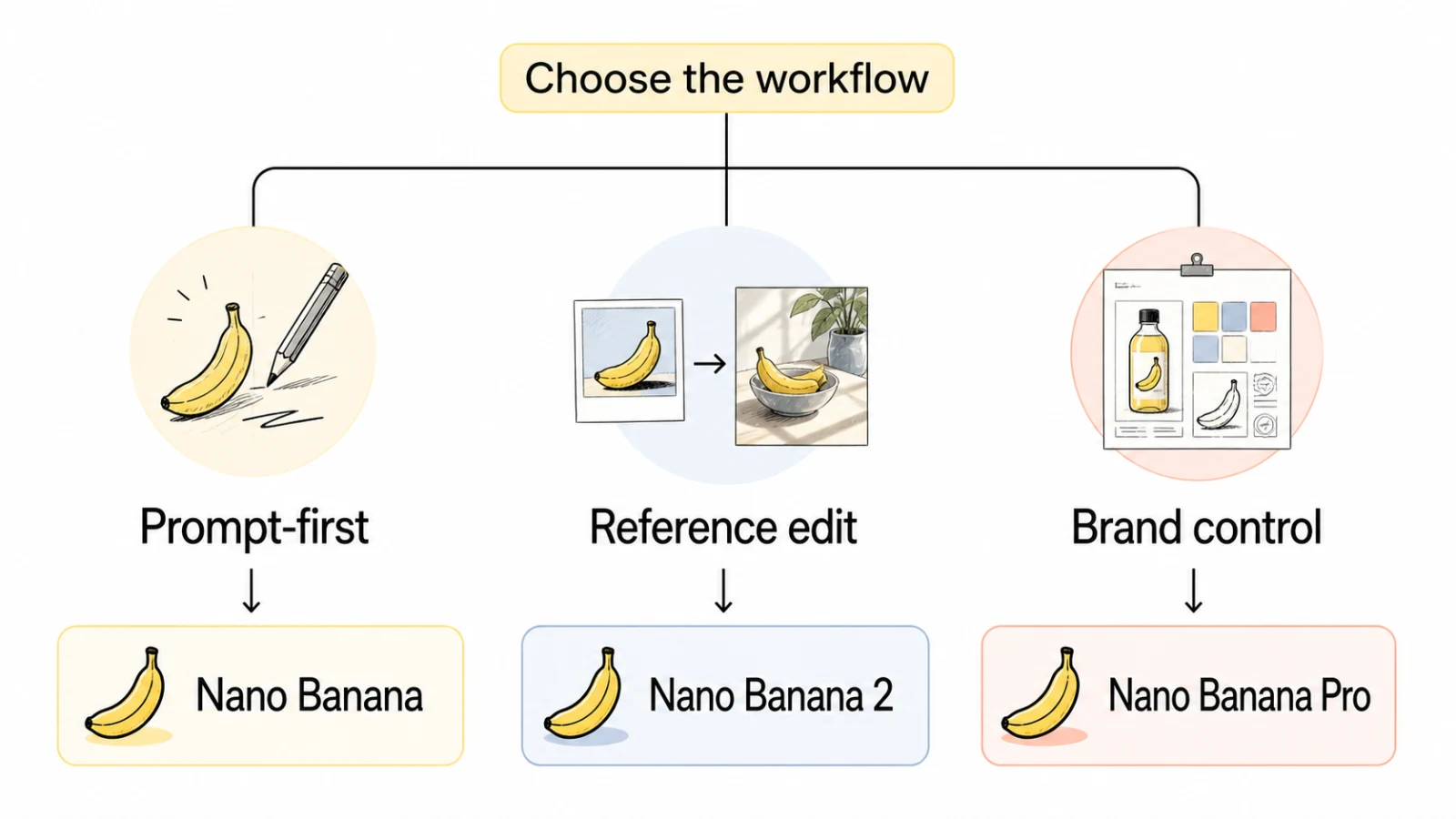
The Banana AI image generator lets you test these paths without moving source images between tools. Check the selected model's controls before you start a batch.
Test revision cost before you commit
A strong first output does not prove that a model fits production. Use the same brief for each candidate and test one isolated change.
- Start with one approved prompt or one approved source image.
- Record the model, reference count, ratio, resolution, and credit use.
- Request one change, such as a new background or crop, while keeping the subject fixed.
- Request a second change that affects layout, text, or supporting objects.
- Compare identity, text, composition, output ratio, and total credits after both revisions.
The second revision exposes the cost of rebuilding context. Nano Banana 2 suits teams that need one flexible model across prompt and reference work. Nano Banana Pro suits teams that value a controlled art-direction pass for an expensive asset. Nano Banana suits early exploration when the brief has no source image.
Keep a short approval checklist for every model:
- Does the main subject keep its shape, color, and material?
- Does every required word remain legible and accurate?
- Did the requested change leave unrelated areas intact?
- Can the output fit the channel without another generation?
- Did the revision consume more credits than the first draft suggested, and did it preserve the required crop?
FAQ
Is Nano Banana 2 the same as Nano Banana?
No. The current mapping identifies Nano Banana as Gemini 2.5 Flash Image and Nano Banana 2 as Gemini 3.1 Flash Image. Nano Banana 2 is the newer general-purpose model in this comparison.
Is Nano Banana Pro always better?
No. Pro targets complex visual work and precision control. Nano Banana 2 covers more input modes in the current Banana AI catalog and can be the better fit for general creative production. A prompt-only concept does not need a premium reference-editing route.
Which model should I use for image editing?
Start with Nano Banana 2 for most reference edits. Move to Nano Banana Pro when the brief includes several visual constraints, brand-sensitive details, localization, or revisions where subject drift is expensive.
Does Banana AI use the same limits as Google's API?
No. Google defines the underlying model capabilities, while Banana AI exposes provider-specific controls, input limits, resolution options, and credit rules. Treat the Banana AI catalog as the source of truth for the workflow you run there.
Should I generate final marketing copy inside the image?
Use generated text for concepts, short labels, and layout exploration. Proof important headlines, prices, legal copy, and product claims before publishing. A model can place text well and still make one character wrong.
Use Nano Banana for prompt-first drafts, Nano Banana 2 for broad new-workflow coverage, and Nano Banana Pro for complex, brand-sensitive editing. Test the second revision before making a model your production default.