Product demos have a stricter job than cinematic experiments. The product must stay recognizable, the camera move must support the selling point, and the final clip must fit a real channel. A beautiful generation that changes a label, drops a key feature, or needs five voiceover passes is expensive in ways a leaderboard will not show.
This compares Veo 3.1, Runway Gen-4.5, and Kling 3.0 through five production questions:
- Can the model preserve a product reference?
- How much control does the prompt provide over motion and framing?
- Does native audio matter for this job?
- What output shapes and durations fit the channel?
- How costly is the next revision when one detail is wrong?
There is no universal winner. Veo 3.1 is a strong fit for audio-aware, reference-led shots. Runway Gen-4.5 is a strong fit for visual motion and prompt-led direction. Kling 3.0 is a strong fit when sound, longer shots, frame pairs, or element control are part of the brief.
Veo 3.1 vs Runway Gen-4.5 vs Kling 3.0 at a glance
| Model | Best starting point | Control and input signal | Output signal | Main revision cost |
|---|---|---|---|---|
| Veo 3.1 | Reference-led product shot with spoken or designed audio | Text, one image, first and last frames, or up to three reference images depending on mode | 16:9 or 9:16, 720p, 1080p, or 4K; native audio in the vendor model | Short, structured generations can require a new take when timing or audio is wrong |
| Runway Gen-4.5 | Prompt-led camera movement and visual action | Text or one starting image through the current API model surface | 2 to 10 seconds with several aspect-ratio choices | Audio usually becomes a separate finishing step, so visual and sound revisions can split |
| Kling 3.0 | Product sequence with sound, frame control, or a longer shot brief | Text, image, or first and last frames in the active Banana AI modes | 3 to 15 seconds in Banana AI, 16:9, 9:16, or 1:1, with sound and quality controls | More controls create more combinations to test before a repeatable preset emerges |
How to evaluate a product demo video model
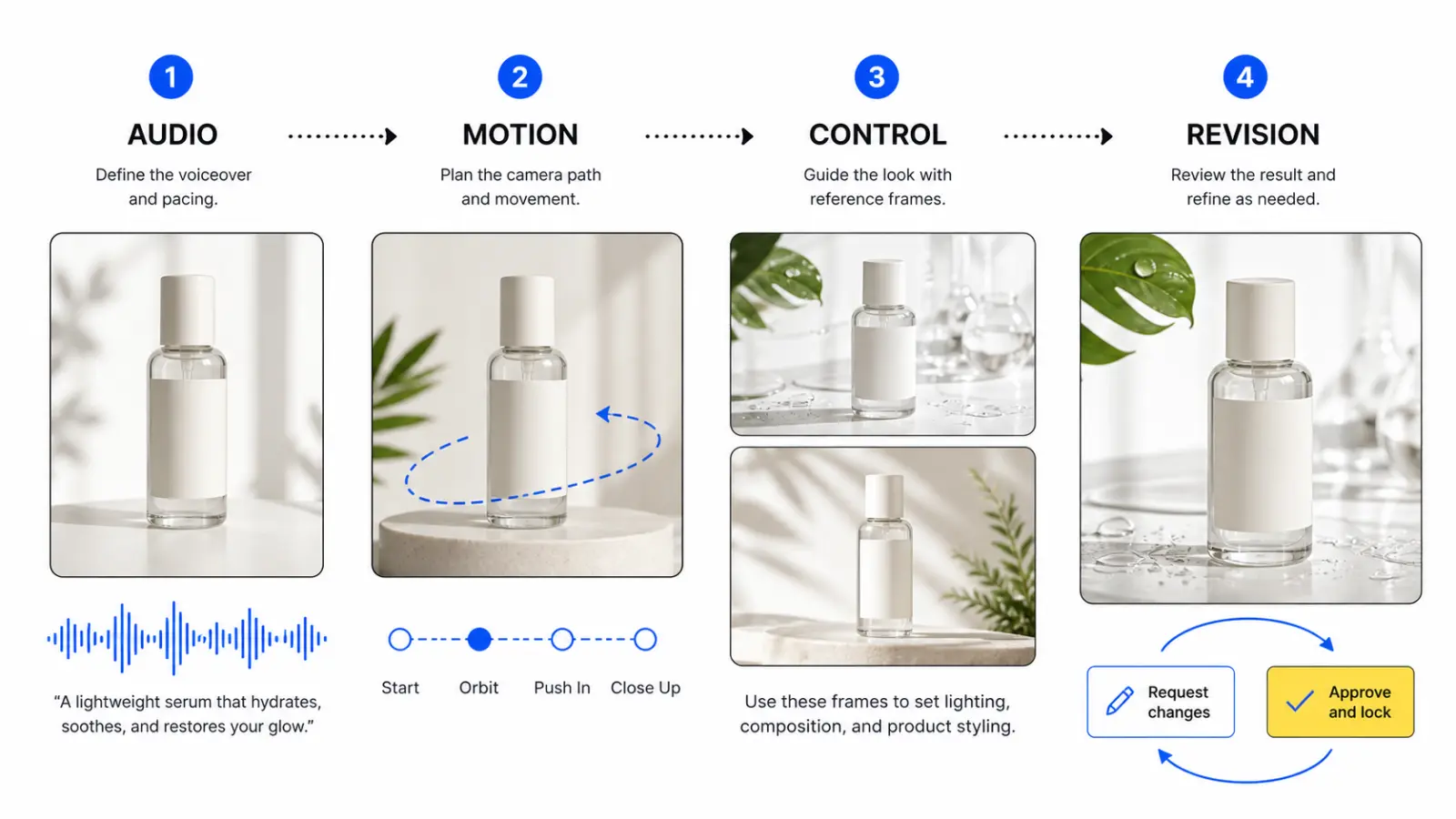
Start with one approved product image and one brief. Score the complete result instead of the first frame.
- Product identity: Check the silhouette, label area, material, color, buttons, ports, and reflections.
- Motion: Check whether the camera move reveals the product feature instead of hiding it behind an attractive effect.
- Audio: Check speech, sound effects, timing, pronunciation, and whether the audio supports the brand claim.
- Output contract: Check aspect ratio, duration, resolution, framing, and whether the clip needs a separate edit.
- Revision cost: Change one detail, such as the background color or camera speed, and record what else changes with it.
Veo 3.1: Best for audio-aware, reference-led shots
Veo 3.1 is the clearest fit when a product demo depends on a reference image and a designed sound layer. Google's current developer material describes native audio, first-and-last-frame direction, video extension, and up to three reference images for guiding a video. The documented output path includes landscape 16:9 and portrait 9:16, with 720p, 1080p, and 4K options.
That combination works well for a product reveal: start on a clean packshot, move toward the feature, and let a short narration or sound cue land with the visual change. It also suits a before-and-after transformation when the opening and closing states matter more than a long take.
The constraint is shot planning. High-resolution output and reference-image modes are tied to short, structured generations in the current API documentation. Plan approved shots instead of expecting one prompt to produce a complete thirty-second ad. Review generated speech and sound effects when the clip makes a product claim.
Banana AI currently exposes Veo 3.1 Fast and Veo 3.1 Pro in its active video model catalog. The current surface exposes aspect ratio, resolution, translation, text-to-video, image-to-video, and frame or reference inputs by mode. For a guided product workflow, begin with the Banana AI video generator, prepare the source image in the Banana AI image generator, and budget the reruns through Banana AI pricing.
Choose Veo 3.1 first when the brief includes spoken context, native audio, first and last states, or several reference images.
Runway Gen-4.5: Best for visual motion and prompt-led shots
Runway Gen-4.5 is a useful counterweight to an audio-first comparison. Its current API model documentation lists text or image input, while its model material emphasizes motion quality, prompt adherence, visual fidelity, dynamic action, and temporal consistency. The API reference exposes 2-to-10-second durations and several aspect-ratio choices for testing a specific product action.
This is a good shape for a silent product demo: an orbit around a speaker, a close-up of a hinge opening, or a tabletop shot from package to use. Spend the prompt on movement, lens behavior, pacing, and the moment the feature becomes visible.
The tradeoff is the finishing path. The current API material describes video output, so do not assume a native audio workflow when planning the edit. Add voiceover, music, and sound effects as separate deliverables unless the exact Runway surface says otherwise.
Runway rewards precise briefs. "Make it cinematic" is not a useful test. Specify the product position, camera path, speed, focus behavior, background, and the single action the viewer must notice. If motion is right but the product drifts, fix the reference and staging before adding adjectives.
Choose Runway Gen-4.5 first when visual motion, prompt-led direction, and a separate post-production audio track are acceptable. It is a weaker first choice when the same generation must deliver a coordinated voice, sound effect, and product action.
Kling 3.0: Best for sound, frame pairs, and longer briefs
Kling 3.0 occupies the most configurable position in this comparison. Its current model material highlights synchronized audio-video generation, intelligent storyboarding, element reference, consistency, and prompt adherence. Banana AI's active entries expose text-to-video, single-image-to-video, and first-and-last-frame modes, with 3-to-15-second duration, Std, Pro, and 4K quality choices, three ratios, and a sound control.
That makes Kling a practical candidate for a demo that has to carry more of the sequence inside the generation. Use a single image for a controlled move, a frame pair for designed opening and closing states, and the longer duration range for a demonstration rather than one visual beat.
The extra controls change the revision problem. A longer clip can save an edit, but it gives the model more time to drift. Sound can improve the first impression while making approval harder if timing changes between takes. Frame pairs can preserve a transition while introducing an awkward middle. Test the smallest viable mode first.
Choose Kling 3.0 first when native sound, a 3-to-15-second shot, frame direction, or a storyboard-shaped brief is central. Keep the mode and settings in the production record.
Which model fits each product demo job?
| Product demo job | Start with | Why | Check before approval |
|---|---|---|---|
| Spoken product explainer | Veo 3.1 or Kling 3.0 | Native audio can keep the visual and voice in one test | Words, pronunciation, claims, product identity |
| Silent feature reveal | Runway Gen-4.5 | Prompt-led visual motion keeps the brief focused | Camera path, focus, feature visibility |
| Before-and-after transformation | Veo 3.1 or Kling 3.0 | First and last frames define the states | Middle transition, shape, lighting, timing |
| Longer social or landing-page shot | Kling 3.0 | Active Banana AI modes expose up to 15 seconds | Drift after the opening beat, audio continuity |
| Reference-heavy brand object | Veo 3.1 | Reference modes prioritize appearance guidance | Text, reflective surfaces, small hardware |
| Visual-first campaign with a locked soundtrack | Runway Gen-4.5 | Separate audio finishing can protect an approved track | Edit alignment, cut points, aspect-ratio variants |
These are starting points, not permanent assignments. A clean product reference can matter more than the model name, as can the editor, audio library, approved aspect ratios, and time for a second pass.
A production-shaped test before you choose
Run the same test on all three models:
- Use a product image with a visible label, hard edge, reflective material, and natural shadow.
- Write one brief with a five-part structure: product, action, camera, setting, and timing.
- Generate the aspect ratios the destination needs.
- Make one targeted revision, such as slowing the camera or changing one color.
- Review at the actual store, ad, landing-page, or social-feed size.
- Record approved takes, cleanup minutes, audio fixes, and rerenders.
The useful metric is approval cost per usable clip. A model that makes a spectacular first result but changes the label on every revision may lose to a model that produces a slightly plainer shot with a stable product. For ecommerce teams, identity and repeatability usually matter more than a single cinematic frame.
Which model should you choose?
- Choose Veo 3.1 for short, reference-led shots where native audio, frame direction, or several product references matter.
- Choose Runway Gen-4.5 for visual-first motion studies, prompt-led camera work, and workflows with a separate locked soundtrack.
- Choose Kling 3.0 for configurable product sequences that need sound, frame pairs, longer duration, or a storyboard-shaped brief.
- Use Banana AI when you want to compare the active Veo and Kling paths, prepare reference images, and keep model selection in one creative workspace.
For the image preparation step behind a product demo, the ecommerce product photo comparison is a useful companion. It covers how product identity, scene control, and revision work affect the source image before it becomes a video reference.
FAQ
Which model is best for ecommerce product demo videos?
Start with Veo 3.1 when a short product reveal needs reference guidance and native audio. Start with Kling 3.0 when the shot needs a longer duration or more frame and sound controls. Use Runway Gen-4.5 for visual-first motion when audio can be finished separately.
Do all three models generate native audio?
Do not treat them as equivalent. Veo 3.1 and Kling 3.0 are the audio-oriented options in the current vendor material and active Banana AI settings. The current Runway API material describes Gen-4.5 as a video output path, so plan a separate audio pass unless your exact surface documents another behavior.
Is one model always cheaper to revise?
No. Revision cost depends on whether the model changes only the requested detail, whether audio must be regenerated, and whether the output duration forces a full rerun. Measure approved clips and manual correction time instead of comparing a single generation price.